To access your email account through Webmail, follow these steps:
- Navigate to
https://yourdomain.co.za:2096in your preferred browser, whereyourdomain.co.zarepresents your domain name. - Enter your email address (eg: info@yourdomain.co.za) this should be an email address that was created on cPanel under your domain. To create an email account please visit this link https://www.pdhost.africa/index.php?rp=/knowledgebase/2/How-to-Create-an-Email-Account-in-cPanel.html
- Enter your password in the Password text box.
- Click Log in.
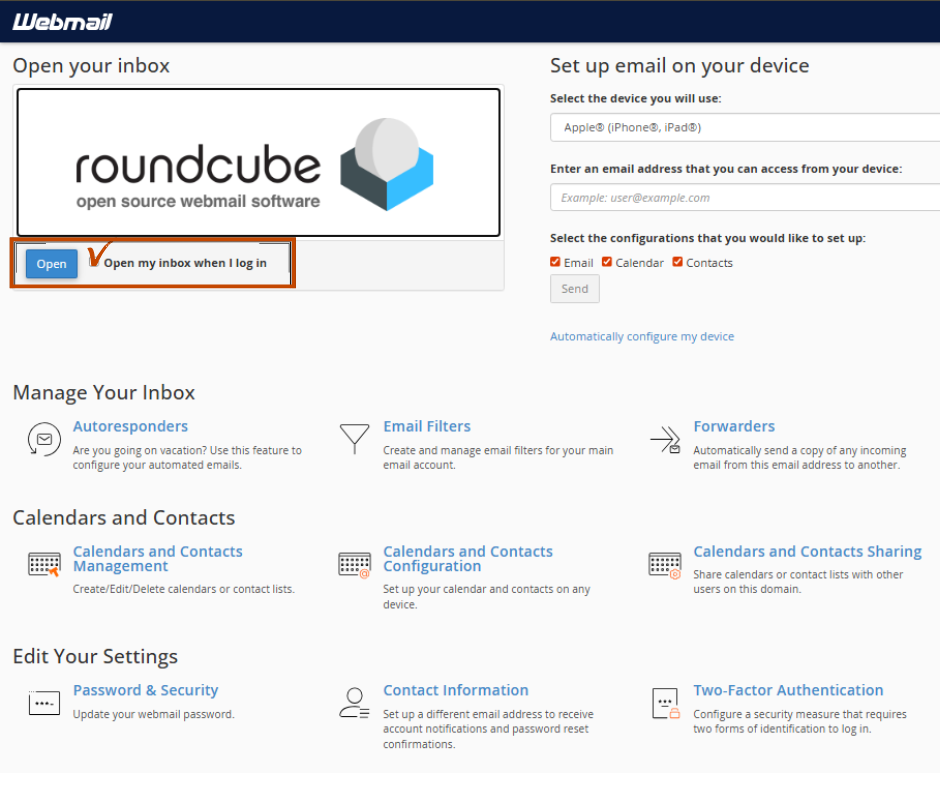
- If you are loging in for the first time you will come accross this landing page. Do this to avoid seeing it often
- click on block next to Open my inbox when I log in
- then click on Open